| | | | Hi , Welcome to the Tech Learning Collective Newsletter. | | | |
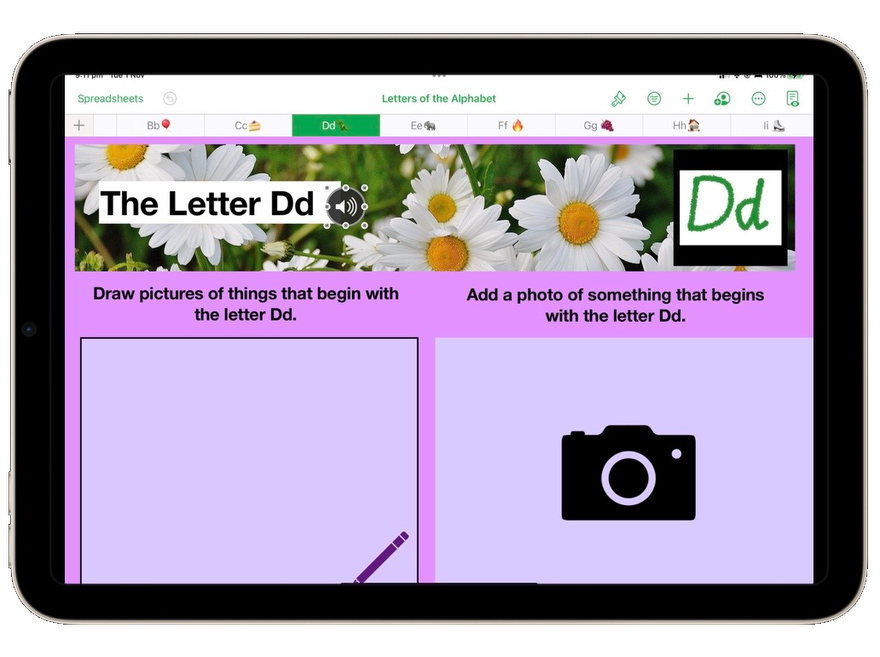
| | This week let’s explore creating student workbooks in Numbers!Numbers is a powerful App for spreadsheeting and graphing, but it can also be a platform for organising units of work or creating student workbooks. Student workbooks become engaging and interactive, and with accessibility tools, such as voice recording, students in your class will have equitable access to content.
In Numbers you can create a workbook that may include audio instructions, videos, animations, drawing and typing. All of these features allow you to differentiate for students. | |
|
| | |
|
| | | | | Tap here to see and download the Alphabet Template in Numbers. There is also a short video explaining how the document has been created. | | | |
|
|
|
|
|
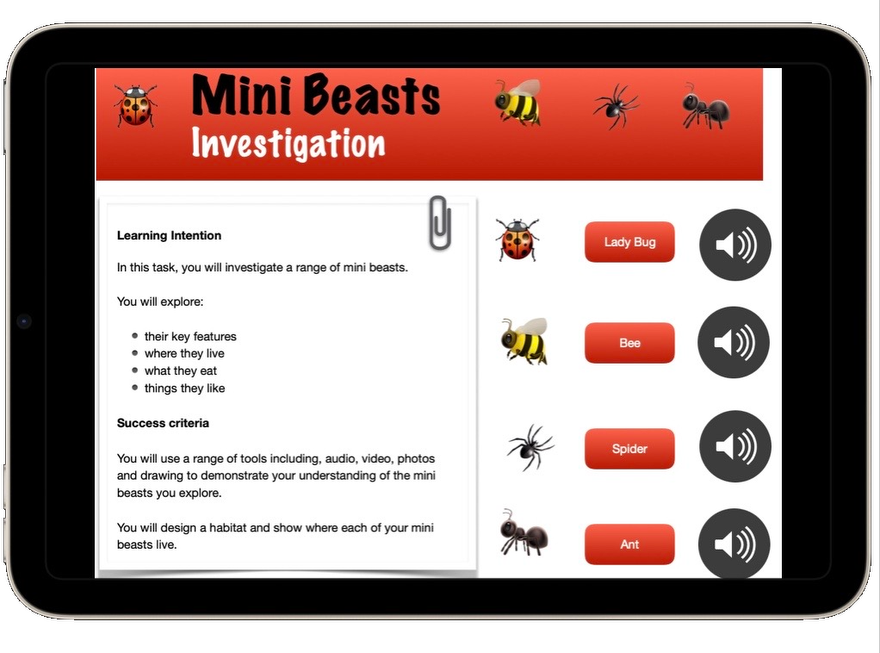
| | | | | Tap here to view a Numbers Template for a Mini Beasts Investigation. Think about how you could adapt this Template to match your content and your students. | | | |
|
|
|
|
|
| | | | | Tap here to check out the, ‘Help Shape a Healthier Society Template” The Guide includes links to planning documents, curriculum links, step-by-step instructions and more. | | | |
|
|
|
|
|
| | | | Tip: Voice RecordingVoice Recording is a media option available in Numbers, Pages, and Keynote. It provides students with a way of orally recording what they know and understand without the formal requirement of writing or typing. As educators, it allows us to personalise learning for students through recording oral instructions.
When working in the Apps mentioned above, a Voice Recording is added by:
- Tapping the insert media icon, which looks like two photos on top of each other
- Tapping Record Audio
- Tapping the Microphone at the bottom of the screen.
- Recording your voice
- Tapping Stop when you are finished
- You can then Preview or Edit your recording, and when ready, you can add the voice recording by
- Selecting Insert, found on the top left of the screen.
A Sound Icon will appear on your document; you can move this around and place it anywhere on your page.
To hear your instructions, students just tap the icon and listen.
| | | |
|
|
|
| | | | Tech Learning Collective is a team of passionate Apple Professional Learning Specialists and educators from Queensland who offer professional learning, insights, resources, and valuable tips for transforming learning with technology.
| | | |
|
| | |
|
|