Hi ,

Welcome to the Tech Learning Collective Newsletter. 


This week is all about Markup In Photos

iPad and Mac technology are excellent tools for all students to engage in self-reflection. Built in features such as Camera, Markup, Screen and Audio Recording as well as the Speech to Text function, make it easy for all students to capture and revisit important moments in their educational journey as they work towards academic and personal milestones.  Using technology in this way can help students strengthen their self-awareness and develop the essential reflective skills necessary for continued growth and success.  Lets check out how Markup may be used in the classroom.


Marvellous Markup

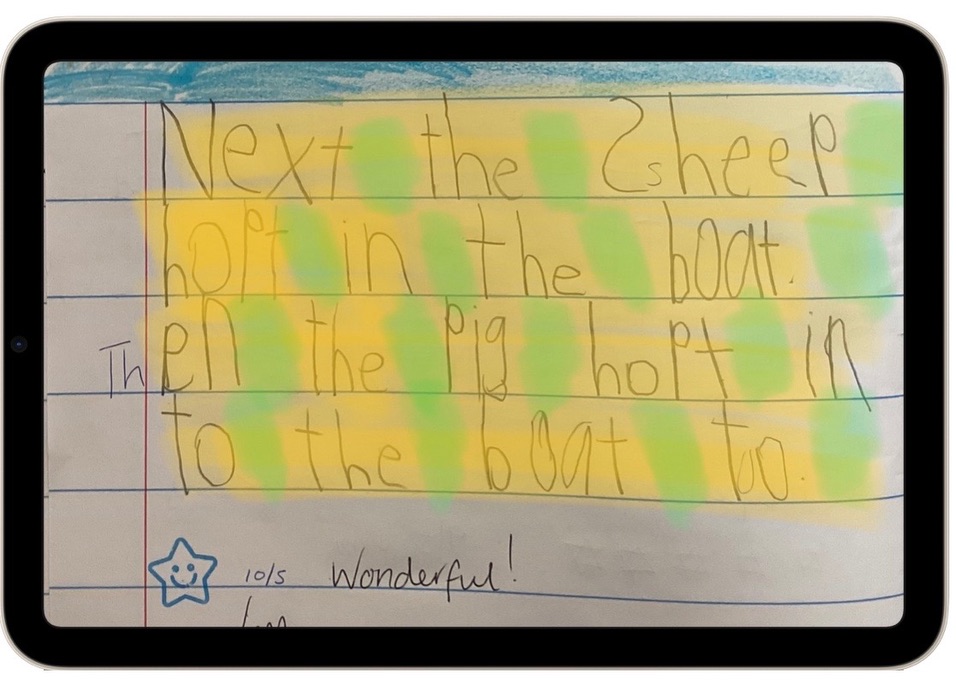
✏️ Use Markup to highlight work identifying areas of achievement against success criteria.


✏️ Provide feedback on student work.


✏️ Identify elements in an environment, such as living and non-living.


✏️ Highlight important elements in a text.


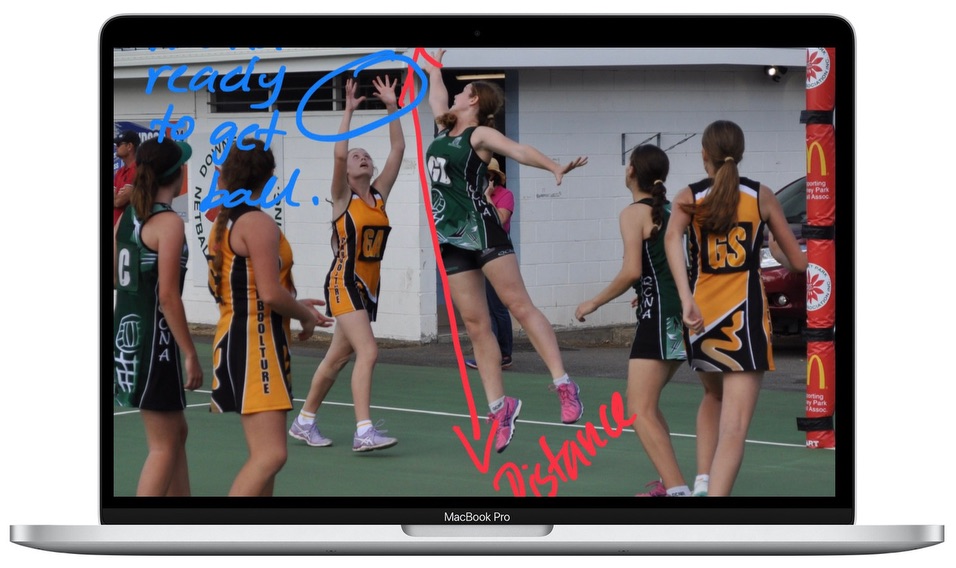
✏️ Provide targeted feedback on game strategy.


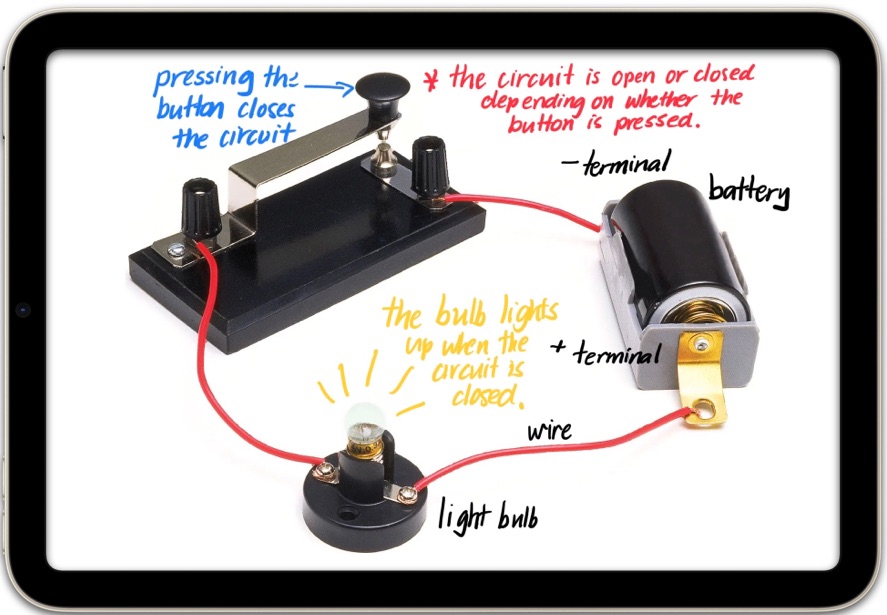
✏️ Label photographs of scientific experiments.


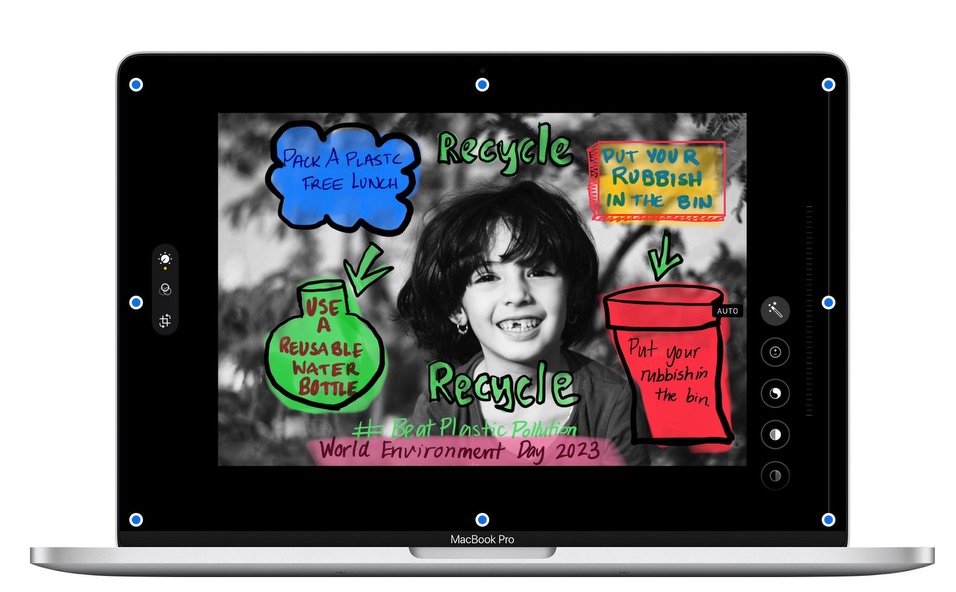
✏️ Brainstorm personal responses to events such as World Environment Day 2023 #BeatPlasticPollution.


Don’t forget you can access some great applications for Markup from the Education Community.  Our very own Rachel has a great post on Markup. Check out the link here.


Tip: Apple Classroom - much more than a monitoring tool 

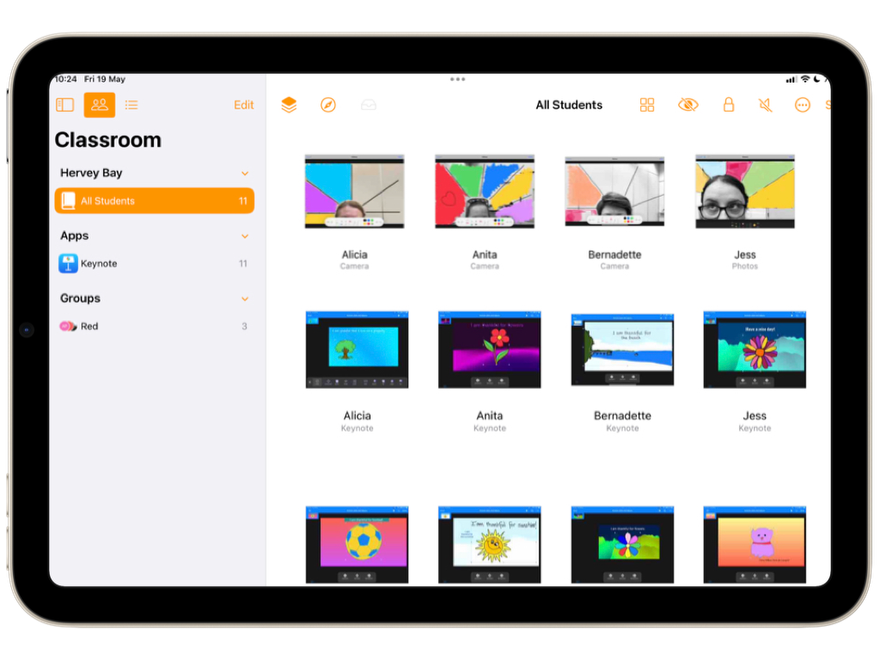
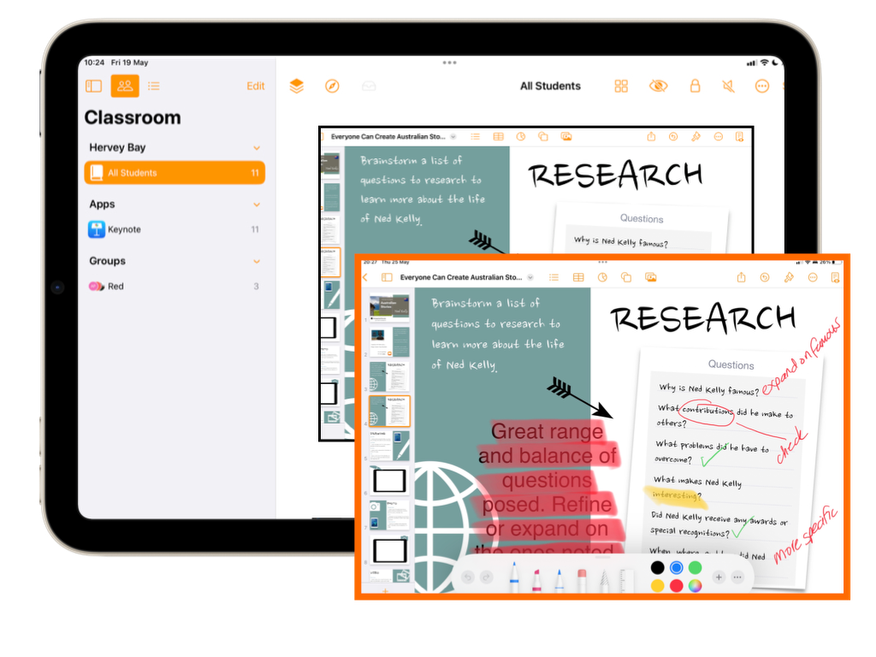
As well as being a tool to guide students and keep them focused on learning, Apple Classroom is a great way to gather formative assessment, conduct exit tickets  and when combined with Markup can be used to provide feedback to students any time during a learning activity.   

When using classroom think about how you introduce it and how and when you use it with you students.   Click here for more ideas.

Actions  ~ how can I use the tools within to guide & focus my students with their learning 

Pedagogy ~ how can I use the tools within to support my teaching method, pedagogical practice & use of high impact strategies


Formative Assessment or Exit Tickets

Take a screen shot of screen view to capture evidence of student work or exit tickets. In photos you can zoom in and Markup to make notes about the learning.


Providing Feedback

View an individual students screen whilst they are working and use Markup to provide annotations or feedback. Airdrop straight back to the student to refer to as they continue working.


Contact Us


Please share with friends and colleagues  Forward to a Friend  

Click here to subscribe to Tech Learning Collective for weekly updates.

Don’t need any further TLC ♥️ Please click here to Unsubscribe


Click here to catch up on past TLC Newsletters.


Tech Learning Collective is a team of passionate Apple Professional Learning Specialists and educators from Queensland who offer professional learning, insights, resources, and valuable tips for transforming learning with technology.  


Direct Mail for Mac This email is powered by Direct Mail for Mac. Learn MoreReport Spam